Most musicians don’t start with MIDI files or production software.
They start with PDF sheet music.
If you’ve ever wished you could hear a score sung — without opening a DAW, cleaning up MIDI, or learning vocal synthesis software — this article walks you through the simplest workflow available today.
Why turning PDFs into singing demos is still hard
PDFs are designed for humans to read, not for computers to sing.
That’s why many traditional workflows look like this:
- PDF → MIDI (lossy)
- MIDI → DAW
- DAW → vocal synth
- Manual lyric entry
- Manual tuning
- Render… repeat
According to creator-tool research, setup complexity — not musical skill — is one of the biggest blockers for people trying digital music tools, especially for singers and educators who are not producers.
For many choir leaders and singers, the goal isn’t production quality.
It’s simply:
“Can I hear how this piece should sound?”
The modern, practical workflow
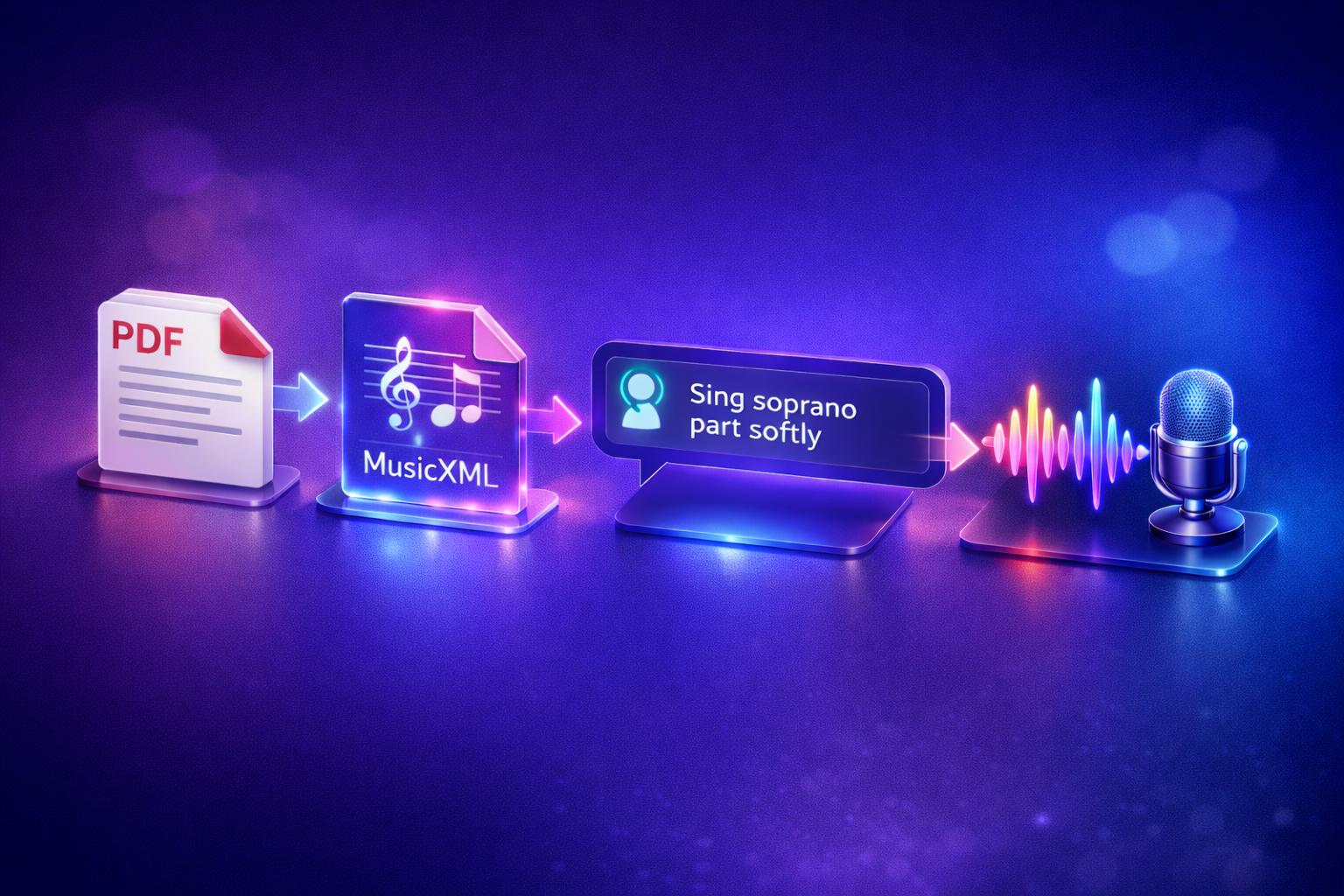
Today, the most reliable workflow looks like this:
- Convert PDF → MusicXML using a dedicated scanning tool
- Upload MusicXML to SightSinger
- Describe how you want it sung using natural language
- Get a singing demo in minutes
No DAW.
No MIDI piano rolls.
No parameter tweaking.
Step 1 — Convert PDF sheet music to MusicXML
PDFs don’t contain structured musical data.
To generate singing audio, you need MusicXML — a format that preserves:
- Pitch and rhythm
- Lyrics
- Voice parts
- Musical structure
Recommended PDF → MusicXML tools
Use an Optical Music Recognition (OMR) tool such as:
- PlayScore 2 (mobile-friendly, fast results)
- MuseScore / MuseScore Studio (desktop, free options available)
- ScanScore
- SmartScore
These tools specialise in reading notation — not generating sound.
Tip: Always export MusicXML, not MIDI.
MIDI often loses lyrics and voice separation, which are essential for singing demos.
Once exported, you don’t need to repeat this step unless the score changes.
Step 2 — Upload MusicXML and generate a singing demo
After you have your MusicXML file, upload it to SightSinger at sightsinger.app.
Here’s where the workflow becomes fundamentally different from traditional tools.
Instead of:
- MIDI velocity curves
- Expression parameters
- Phoneme editors
- Automation lanes
You simply tell the system what you want in plain language.
Examples of natural-language instructions
- “Sing soprano only, verse 1”
- “Use male voice to sing tenor part”
- “Do the same for verse 2 please”
SightSinger interprets these instructions and generates a lyric-aligned singing demo directly from the notation.
You don’t need to understand:
- MIDI CC messages
- Vocal synthesis parameters
- DAW routing
This is intentional — the tool is designed around musical intent, not production control.
Why MusicXML works better than MIDI for singing
Many vocal tools still rely heavily on MIDI, but that creates friction for notation-based music.
| Feature | MusicXML | MIDI |
|---|---|---|
| Lyrics preserved | ✅ Yes | ❌ No |
| Voice separation | ✅ Explicit | ⚠️ Manual |
| Score structure | ✅ Clear | ❌ Implicit |
| Choir & SATB support | ✅ Native | ⚠️ Difficult |
SightSinger is built notation-first, not retrofitted from MIDI workflows.
How this compares to DAWs and vocal synth software
Professional tools like Synthesizer V, ACE Studio, OpenUtau, or DAW-based plugins are powerful — but they’re designed for music producers, not for fast musical understanding.
Traditional DAW workflow
Typical steps include:
- Import MIDI
- Fix timing and alignment
- Enter lyrics manually
- Adjust phonemes
- Tune pitch curves
- Render and repeat
Even experienced users often spend 30–60 minutes creating a short demo for a single voice.
SightSinger workflow
- Upload MusicXML
- Describe how it should be sung
- Download the demo
Time required: a few minutes
SightSinger doesn’t aim to replace professional production tools — it replaces the “quick demo” stage.
Who benefits most from this workflow
This approach is especially useful for:

🎼 Choir directors & music educators
- Quickly generate rehearsal tracks
- Share part-specific demos with singers
- Reduce preparation time
🎵 Worship leaders & ensemble leaders
- Create practice references without studio work
- Communicate musical intent clearly
🎤 Beginner singers (especially those not strong in music theory)
- Learn pieces by hearing, not analysing notation
- Understand melody, rhythm, and phrasing without reading complex scores
- Practice confidently even if they struggle with sight-reading
✍️ Composers & arrangers
- Validate vocal lines quickly
- Hear harmonies before rehearsals or recording
If your goal is learning, practising, or understanding a piece, this workflow is built for you.
Accuracy and realism — what to expect
Modern AI singing synthesis achieves high pitch and rhythm accuracy, sufficient for:
- Learning notes
- Practising entries
- Understanding harmony
SightSinger prioritises:
- Clear pitch
- Correct rhythm
- Lyric alignment
Over:
- Studio-level expressiveness
- Detailed vocal styling
That makes it ideal as a reference and learning tool.
Related resources on SightSinger
To go deeper, you may find these helpful:
- 👉 How SightSinger works — /how-it-works
- 👉 MusicXML to Singing Demo — /demo
Summary
If you start with a PDF score, the easiest and most reliable path to a singing demo today is:
- PDF → MusicXML using a specialist OMR tool
- MusicXML → Singing demo using SightSinger
- Control the result with natural language, not technical parameters
You avoid DAWs, MIDI cleanup, and complex vocal-synth workflows — and get something you can actually use for practice.
Try it yourself
Already have a MusicXML file?
👉 Generate a singing demo with SightSinger — sightsinger.app
👉 See real examples — /demo