Best-fit workflow
The clearest fit is teams that already prepare a score and need singers to hear the musical idea quickly.
SightSinger is built for score-led workflows: upload MusicXML, target the part or verse you need, and generate singing audio for rehearsal tracks, demos, and practice references.
The clearest fit is teams that already prepare a score and need singers to hear the musical idea quickly.
MusicXML preserves notes, lyric syllables, and part structure better than a flattened MIDI export for this use case.
Continue into the Learn hub, score-readiness tools, or the free trial depending on how close you are to generating output.
Turn your MusicXML sheet music into a singing audio demo using chat. No complicated setup or controls.
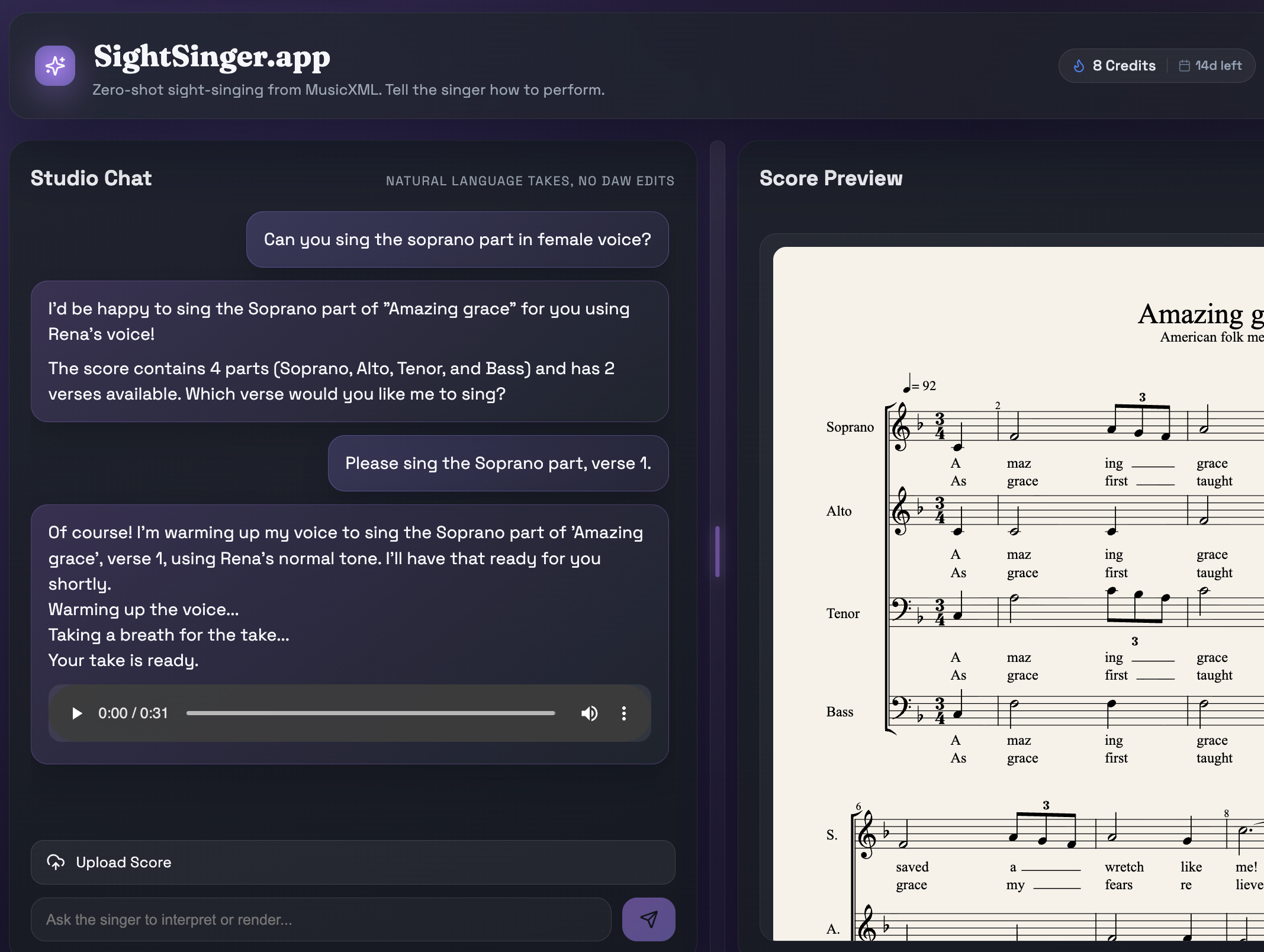
Use the score as the source of truth for notes, lyric syllables, and voice-part structure.
Generate section references and part-learning demos faster when rehearsal time is limited.
Ask for specific parts, verses, or singing directions without manual MIDI or phoneme editing.
Speak music, not MIDI.
| Feature | SightSinger.app | Professional DAW (Digital Audio Workstation) |
|---|---|---|
| Interface | Natural Language (Chat) | Piano roll, parameters, phonemes |
| Learning Curve | Zero | Steep |
| Focus | Global style control, demo quality | Detailed note-level control, production quality |
| Time to result | Minutes | Hours |
Start with MusicXML from MuseScore, Finale, Sibelius, Dorico, Logic Pro, or an OMR-based workflow.
Choose the part, verse, or rehearsal outcome you need instead of rebuilding the whole arrangement in a DAW.
Turn the score into a vocal demo or rehearsal reference that communicates the musical idea quickly.
Iterate with natural language, export the new take, and send singers a reference they can actually use.